WordPress 7.1 is due out on Wednesday, August 19, 2026. The feature set is locked at this point since the release candidates are already out, and the official Field Guide went live on August 5. This release comes right after a rough patch for WordPress security, so there's a bit more to pay attention to than usual before you update.
Here's what's actually in it, what came before it, and what you should check before you hit update.
What's Actually New in 7.1
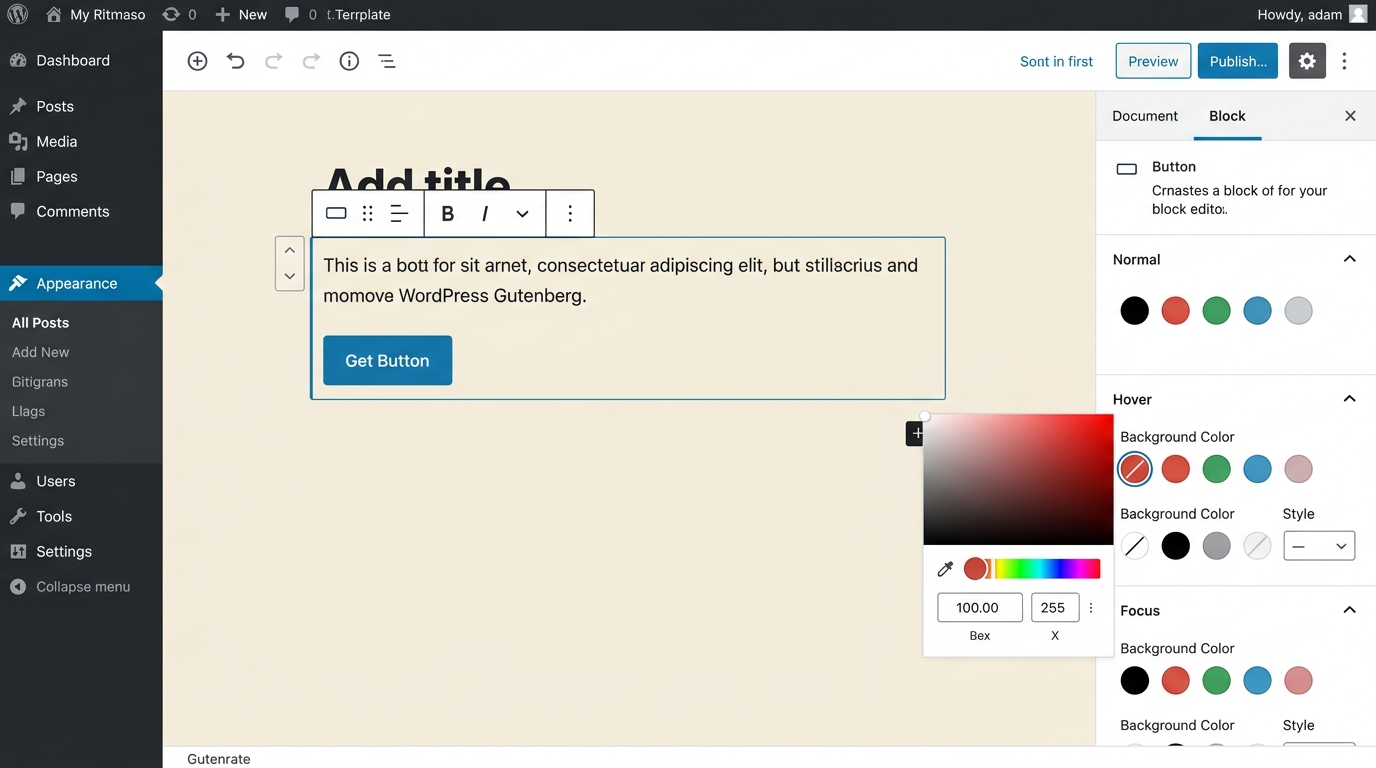
The biggest visible change is that you can now set different styles for hover, focus, and active states directly in the block editor, along with responsive styles for tablet and mobile. A lot of the custom CSS people write just for these small interactive touches becomes unnecessary.
Beyond that, here's what's shipping:
- Two new blocks: Playlist and Tabs, both stabilized in Gutenberg 23.6.
- SVG Icon API: lets plugin and theme authors register and use custom icons in the editor. This builds on the Icon API that shipped in version 7.0.
- Client-side media processing and infinite scrolling in the Media Library, so large media libraries should feel less clunky to browse.
- A persistent admin toolbar that now stays visible as you move between the front end, admin area, Site Editor, and Block Editor.
- Abilities API expansion, including a new metadata flag and a standard way to filter registered abilities through
wp_get_abilities(). - The wordpress/theme package stabilizes, bringing design tokens and a public React ThemeProvider. This is the early foundation for a proper WordPress Design System.
- DataViews, DataForm, and View Config get new capabilities, more flexible actions, and better selection behavior. Useful if you're building WordPress-native tables or grids.
- The Connectors screen now supports username and application password authentication, not just API keys.
- Notes get two upgrades: email notifications when someone @mentions you, and shareable revision links.
- jQuery UI moves to version 1.14.2. This is a quiet dependency bump, but it's the kind of change that can break a plugin without any obvious warning.
- 20 new hooks land in this release: 19 filters and one action.
A few things that were expected didn't make the cut. Real-time collaborative editing is still not enabled, the Field Guide says so directly. The plan to hide the Classic block from the inserter was reverted, so it's still there. The Table of Contents block and a proposed dashboard widget for resurfacing older content also got dropped. And React 19 has been pushed back again, with the plan now being to land it in the Gutenberg plugin first before it reaches Core.
The Security Patches That Came Right Before It
Before you even get to 7.1, it's worth checking whether your sites are current on the last two point releases.
WordPress 7.0.2 came out on July 17 to fix one critical and one high severity issue. The severity was high enough that WordPress.org turned on forced updates for the affected versions, meaning most sites got patched automatically. Then on August 6, WordPress 7.0.3 shipped with a dozen more fixes.
If you manage sites where auto-updates are disabled, or where someone might have missed both of these, this is the moment to go check. Getting current on 7.0.3 first will also make the jump to 7.1 smoother.
What to Check Before You Update
With the release just days away, here's a short list worth working through on staging before 7.1 hits production:
- Test any plugin or theme that touches jQuery UI widgets. The 1.14.2 update is the kind of change that breaks things quietly instead of throwing an obvious error.
- Check custom toolbar items. If you've extended the admin toolbar, review how it behaves now that it persists across the Site Editor and Block Editor.
- Review any custom hover, focus, or responsive CSS you've written for blocks. Some of it may now be redundant, and it's worth knowing before you end up maintaining duplicate styles.
- If you use application passwords for integrations, take a look at the updated Connectors screen so you know what changed.
- Confirm your backups are current and that you have a real rollback plan, not just a mental note to be careful.
None of this requires a big weekend project. It's a normal pre-release checklist, but skipping it is how small breakages show up in production instead of staging.
Closing thoughts
WordPress 7.1 isn't a flashy release, but it's a genuinely useful one, especially if you're a developer working close to the editor or extending Core in any way. Between the interactive style controls, the SVG Icon API, and the steady progress on the Design System, it's clear where WordPress is headed even if the big swings like React 19 and real-time collaboration are still a release or two away.
If you maintain WordPress sites, the smart move is simple: get current on 7.0.3 now, test your plugins and themes against 7.1 on staging this week, and you'll be in good shape for August 19.